Is this niche
worth a closer look?
Search around your topic. Explore comparable channels and investigate the landscape before choosing your direction.
Niche FinderNiche MapNiche Validator
Research your niche  BlipScope.
YOUTUBE NICHE RESEARCH FOR FACELESS CREATORS
Investigate your next niche before committing weeks to production. Compare public channel evidence, inspect the estimates and build an original content plan.
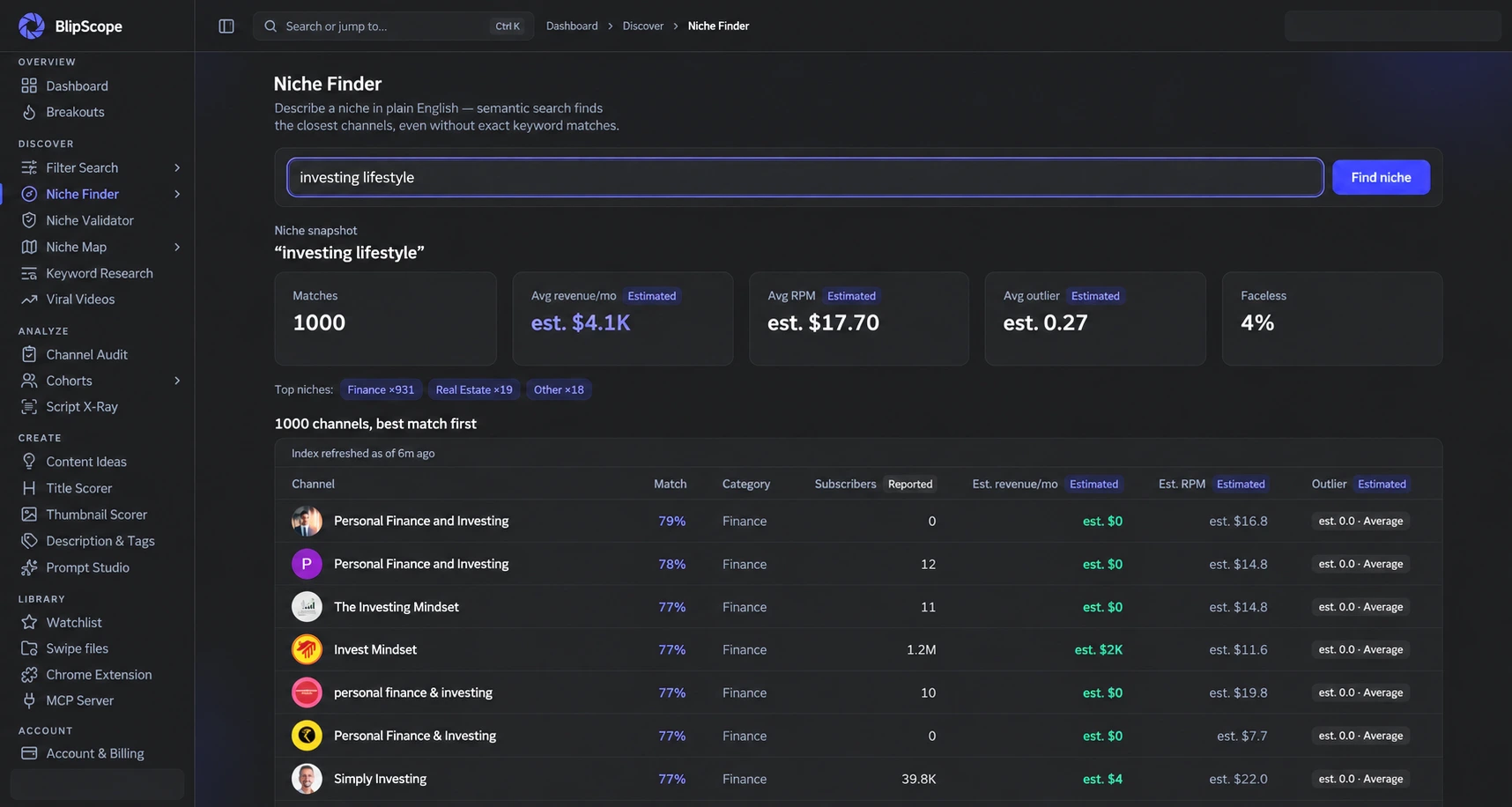
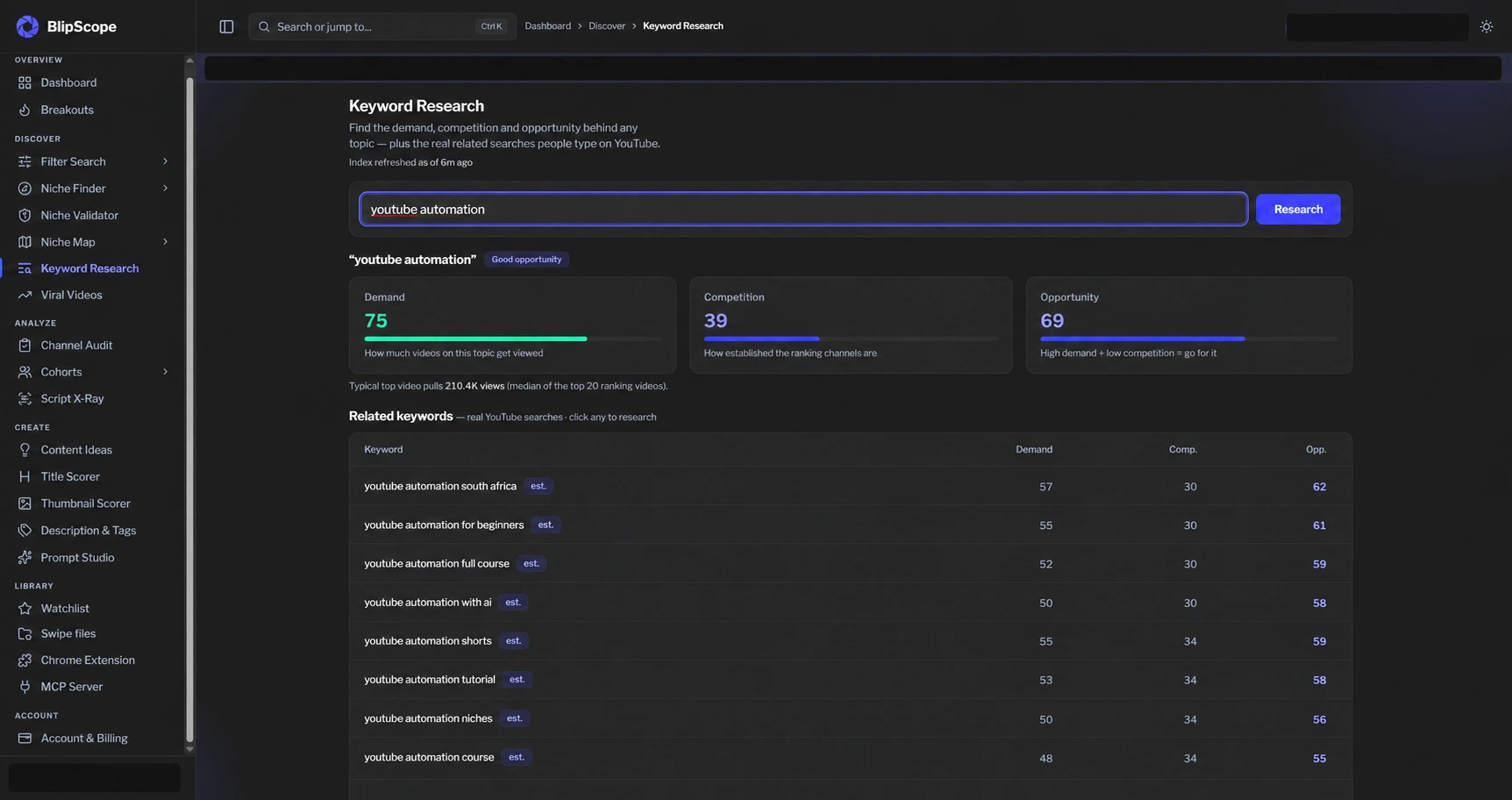
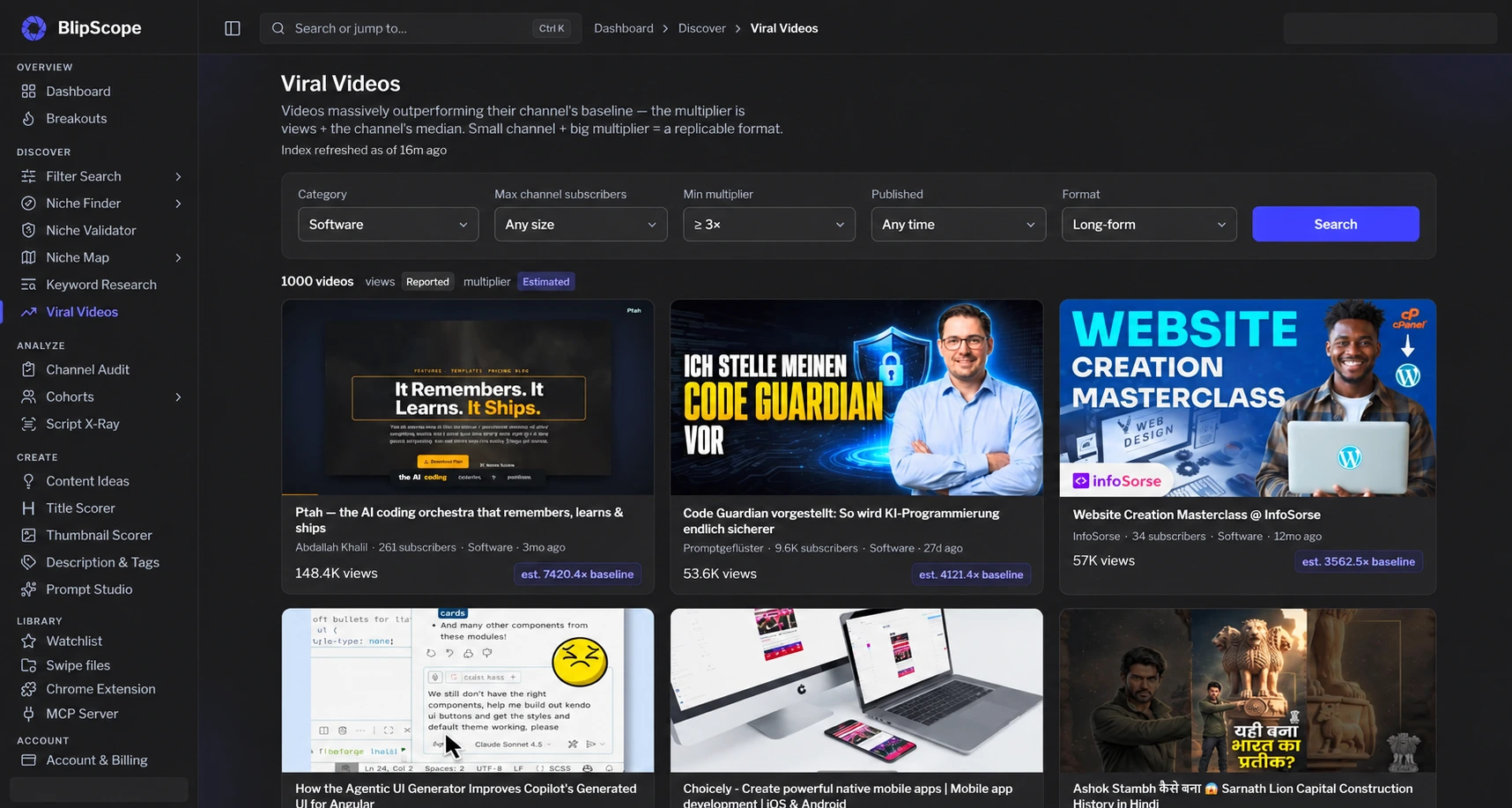
Edited product captures. Example results, not predicted earnings. Historical screens illustrate the tools; results and interface may change. Channel appearances are not endorsements.
Built for the way you create.
Faceless channelsIndependent creatorsYour next channelLESS GUESSWORK. BETTER QUESTIONS.
Connect niche research, channel comparisons and content discovery before committing your time to the next upload.
Search around your topic. Explore comparable channels and investigate the landscape before choosing your direction.
Compare channels and investigate modelled revenue and RPM. Understand the assumptions behind an opportunity, not just its headline numbers.
Explore keyword signals and breakout content. Save useful discoveries, then develop your own angle with tools for scripts, titles and thumbnails.
ONE WORKSPACE. EVERY STAGE.
Follow a complete research workflow, or go straight to the tool you need.
Niche Finder · Niche Validator · Niche Map · Keyword Research
Explore discover tools →02 / ANALYZEChannel Audit · Competitor Cohorts · Script X-Ray · Watchlists
Explore analyze tools →03 / CREATECreator Brief · Content Ideas · Title Scorer · Thumbnail Scorer
Explore create tools →BLIPSCOPE + YOUR AI ASSISTANT
Search channels, inspect an indexed channel and explore category leaders through BlipScope’s MCP connection.
Explore the AI connection →“Find channels about woodworking.”
“Show the indexed record for this channel ID.”
“Compare estimated revenue leaders in this category.”
Public channel data. Clearly labeled estimates.CONTEXT IS PART OF THE PRODUCT.
Inspect sample sizes, data observation dates and the assumptions behind the result. Use the evidence to decide what to investigate next.
Read the methodologyRevenue and RPM are modelled from public data. They help compare possibilities; they do not reveal a creator’s actual income.
Go from a broad topic to channels and videos you can investigate. Keep useful discoveries in your watchlists and swipe files.
Niche Finder and Niche Validator flag insufficient evidence. Related inspiration stays separate from a focused match.
RESEARCH. CREATE. LEARN.
Carry your audience, constraints and research into the work. Then keep what you learn for your next decision.
Save an optional creator brief with your audience, production time and constraints. No signup assessment.
Explore focused niche matches, inspect comparison samples and keep related inspiration separate.
Save your hypothesis, original approach and success measure in a private research plan.
Draft Review compares selected still frames and optional transcript text with your title and promise. Your original video stays on your device; AI suggestions link back to the samples for you to check.
Add your published video and outcome notes to the plan. Bring the lesson into your next idea.
KEEP YOUR RESEARCH CLOSE
BEFORE YOUR FIRST CLICK
Creating a BlipScope account and saving an optional creator brief are free and do not require a payment card. Research tools, research plans, Draft Review, extension research and AI assistant tool calls require Pro. The extension’s local title-and-thumbnail preview needs no account. There is no free search or validator allowance. Try the public RPM calculator without an account to explore assumptions, or review Pro billing in the app.
Keep Studio for your own channel’s performance and audience analytics. BlipScope helps you investigate public channel examples before production. For client work, use cohorts to organise comparisons, export supported search results as CSV, or query the index through a compatible MCP assistant. No tool can guarantee growth or earnings.
Yes. You can research a topic and explore existing channels before launching your own. You do not need to connect a YouTube channel to create your account.
Google lets you create a BlipScope account without another password. Signing up only shares your name, email address and profile picture; it does not request access to your YouTube channel. Two optional features ask for more, and only when you choose them: Detect my channel reads your own channel’s ID to link it to your account, and View Sources reads the YouTube Analytics reports for your own videos (views, countries and traffic sources) to show you where their views come from. We never read anyone else’s private data and never sell or share yours. Details are in our privacy policy.
No. Revenue and RPM figures are BlipScope estimates from public data and modelling. They are labelled estimates, not reported earnings or guaranteed results. Use them to compare opportunities and guide further research. See our methodology, sample rules and limitations.
YOUR NEXT VIDEO STARTS WITH A BETTER QUESTION.
Find your niche. Understand the context. Choose your direction.
Sign Up for FREEAlready have an account? Sign in